Self-hosted · Open Source · AGPL-3.0 License · Matter Support (Beta)

homechronicle

Event Logging for Apple HomeKit

Apple's Home app shows the current state of your accessories — homechronicle shows you everything that happened and when. A self-hosted dashboard with a searchable timeline, activity analytics, and device management.
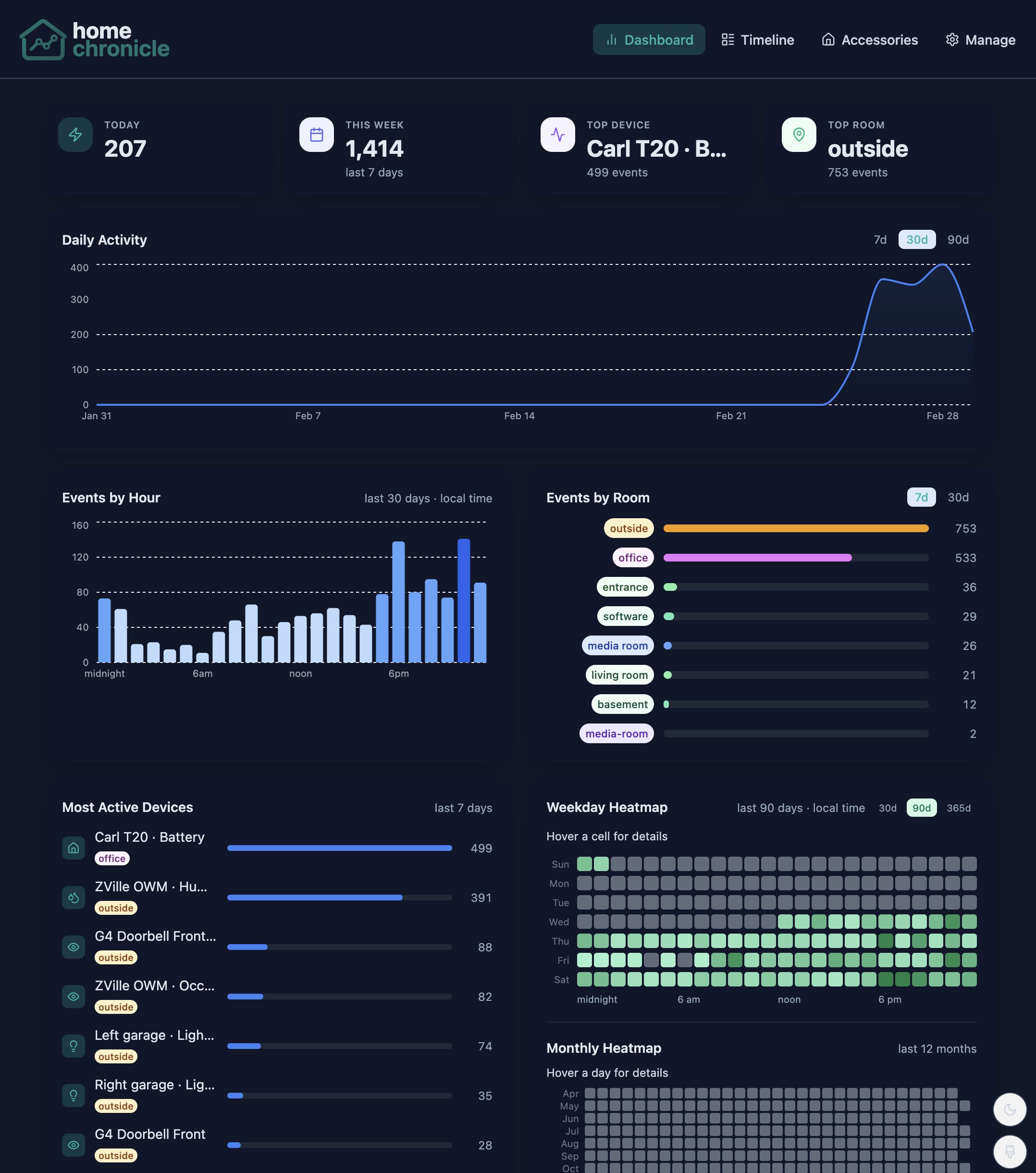
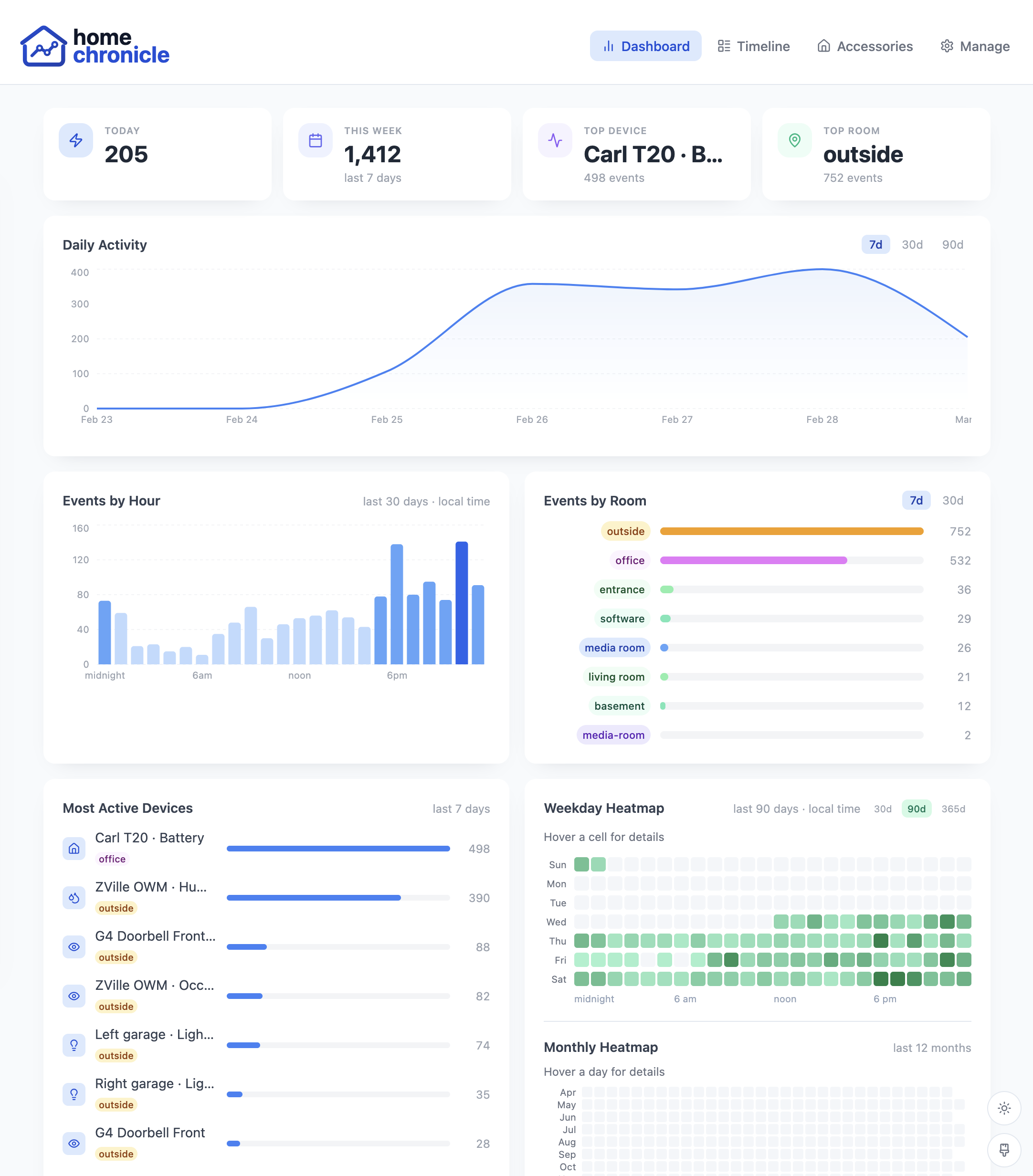
homechronicle Dashboard — activity analytics, trend charts, heatmaps, and device rankings
Everything you need to monitor your smart home
homechronicle captures every state change from your HomeKit accessories and turns raw events into actionable insights.
📋

Real-time Event Timeline

Scrollable, day-grouped event feed with auto-refresh. Filter by room, accessory, characteristic, or date range.

📊

Activity Analytics

Daily trends, hourly distribution charts, room breakdowns, weekday and monthly heatmaps at a glance.

📱

Device Inventory

Complete list of paired accessories with room grouping, activity status indicators, bridge info, and event counts.

In-Browser Setup

Discover, pair, and configure accessories directly from the UI. Bulk pairing, PIN vault, and bridge child expansion.

🎨

Themes & Dark Mode

Light and dark modes with six color themes. Customize the look to match your preference.

🌐

Installable PWA

Add to your home screen on iOS or Android. Works like a native app with responsive mobile-first design.

🧪

Matter Support (Beta)

Pair and monitor Matter devices directly from the Setup UI. Built into the listener image with zero extra configuration.

🐳

Docker Ready

Single docker run deploys everything. Or use Docker Compose for fine-grained control. No build steps required.

👥

Multi-User Accounts

Optional login with invite-only members, admin and member roles, and DB-backed sessions you can review and revoke per device.

✉️

Email & SMTP

SMTP-powered user invitations, password resets, and email alert delivery. Configure via environment variables or the Settings UI.

🎛️

Customizable Dashboard

Drag, resize, and hide analytics panels. Choose from 12 default and 12 optional panels; layout is saved per account.

Every event, searchable and filterable

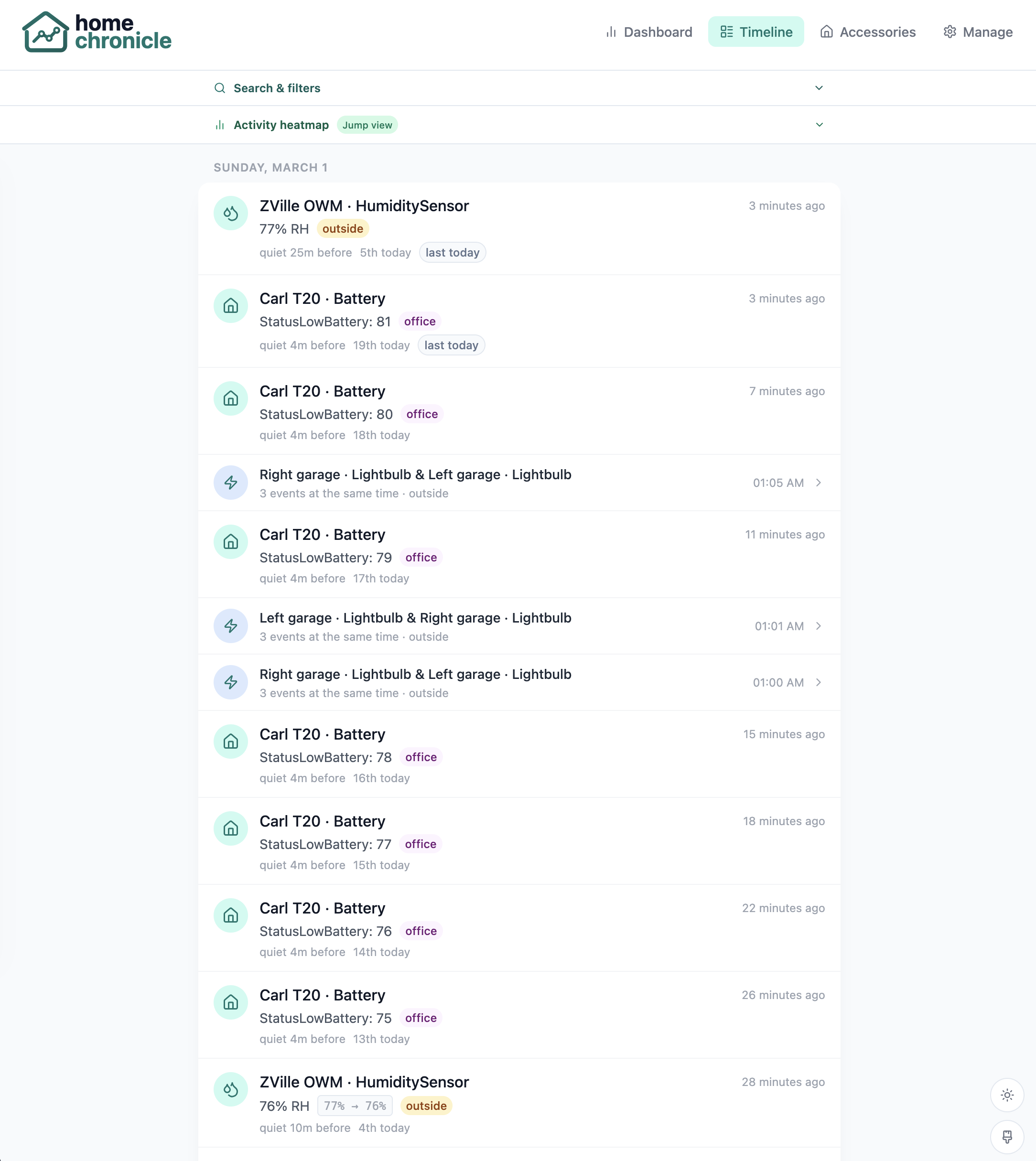
A live, scrollable timeline grouped by day shows every state change across your home. Scene grouping bundles events that fire within seconds of each other.

  • Filter by room, accessory name, characteristic, or date range
  • Activity heatmap with click-to-jump navigation
  • Human-readable service type labels instead of raw HAP UUIDs
  • Auto-refreshes every 10 seconds
Timeline — live event feed grouped by day

Visual heatmap for fast navigation

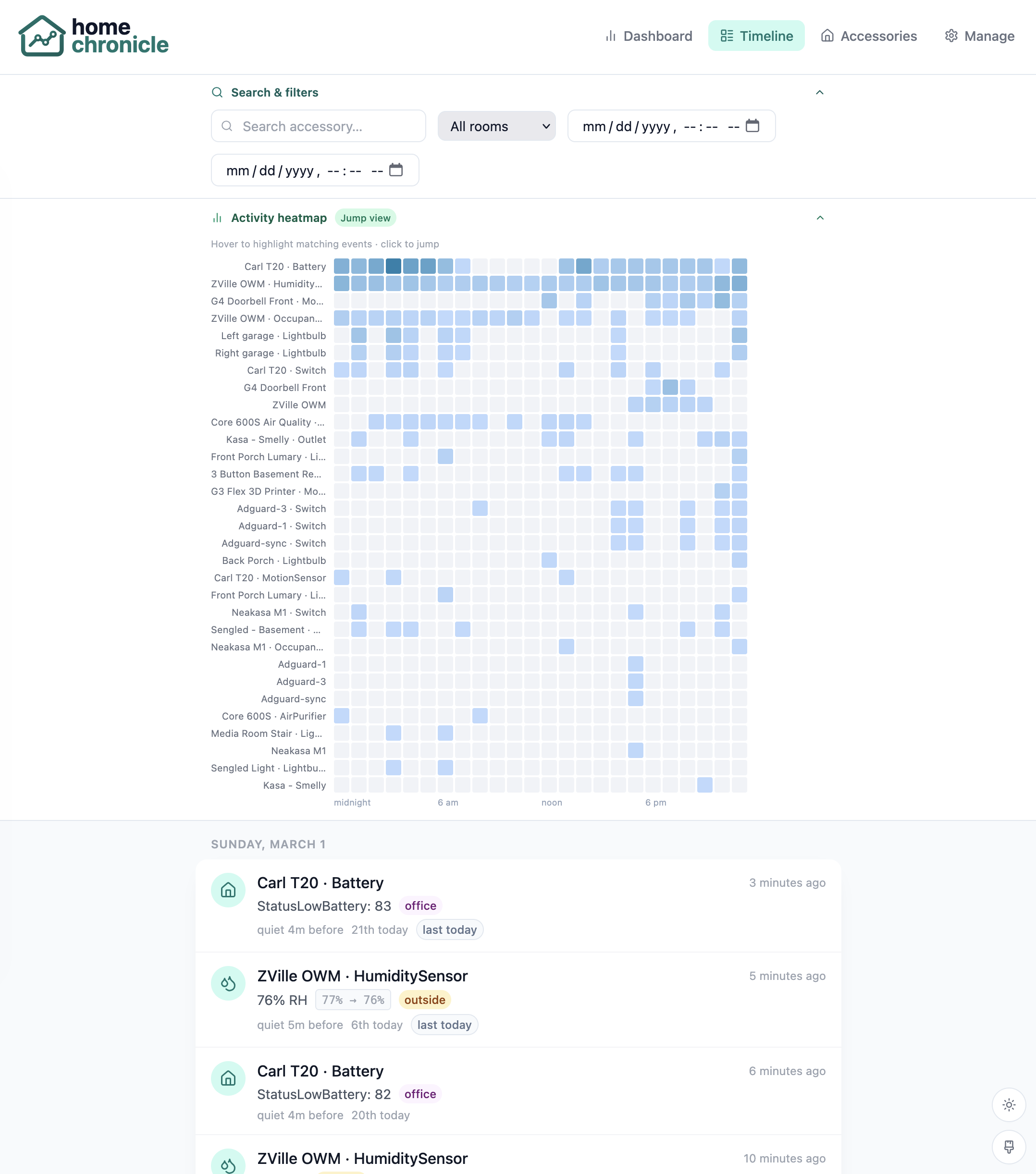
The activity heatmap shows event density by device and time of day. Click any cell to jump directly to that moment in the timeline. Combined with powerful search filters, finding any event is instant.

  • Per-device hourly heatmap with color-coded density
  • Deterministic page targeting for stable navigation
  • Combine with room and accessory filters to narrow results
Timeline — search filters with activity heatmap for jump navigation
Activity analytics at a glance
Trend lines, hourly distributions, room breakdowns, quiet-hours activity, and a fully customizable layout — everything you need to understand your smart home's behavior.
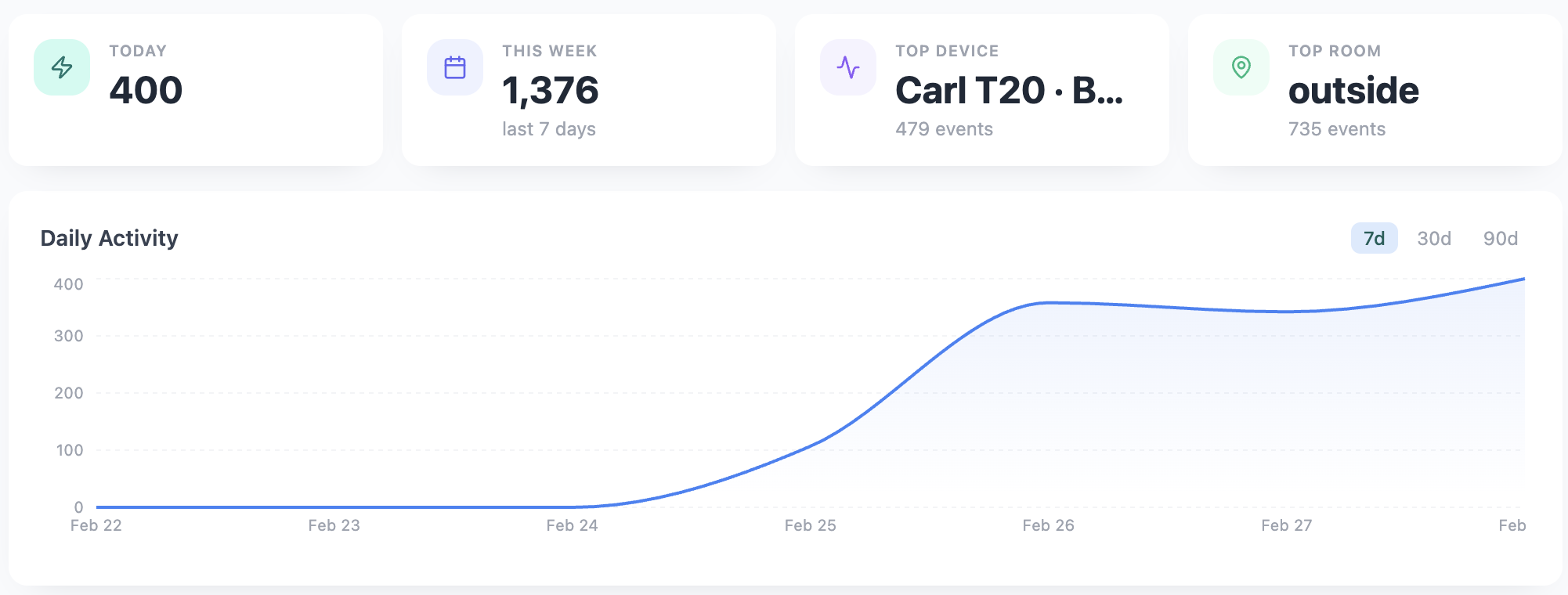
Daily activity trend line chart

Daily Activity

Event-count trend line across the last 7, 30, or 90 days. Spot long-term patterns and busy periods at a glance.

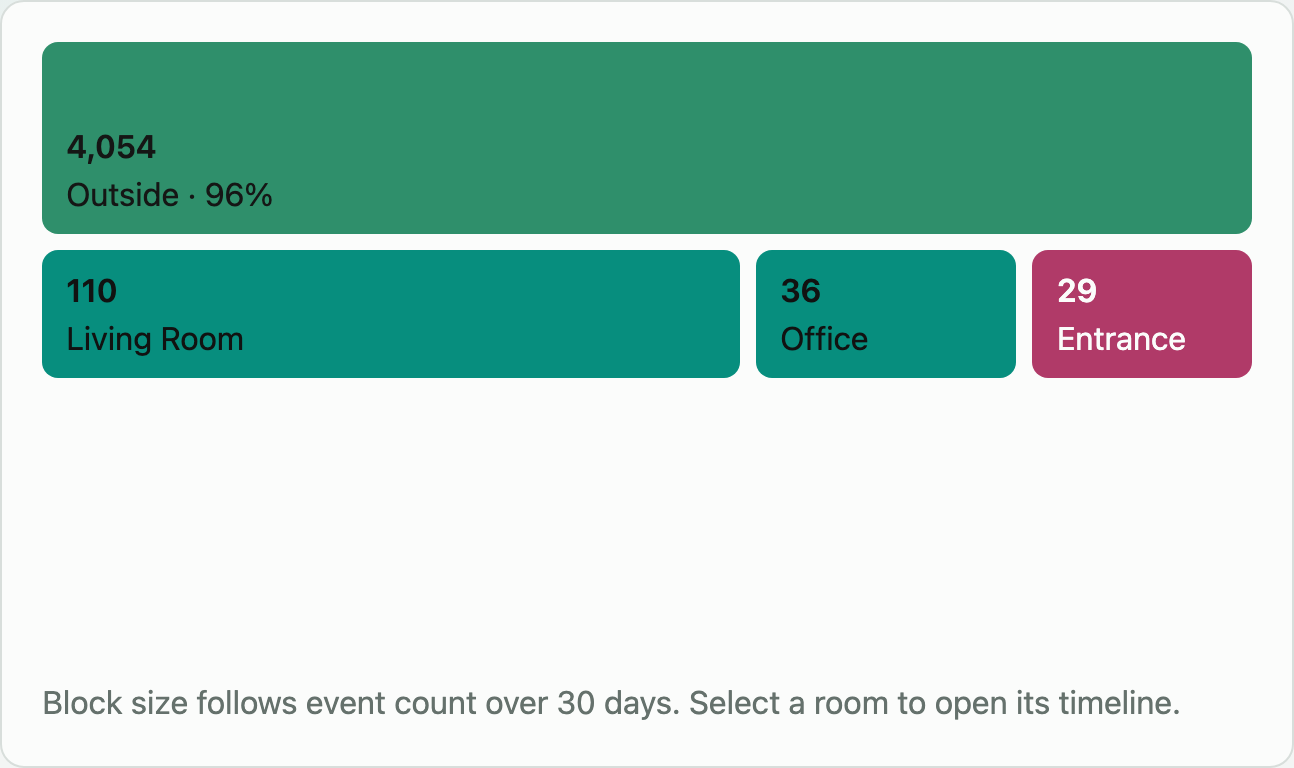
Events by room ranking

Events by Room

Per-room event counts ranked highest first, covering 7, 30, or 90 days. Instantly see which areas of your home are busiest.

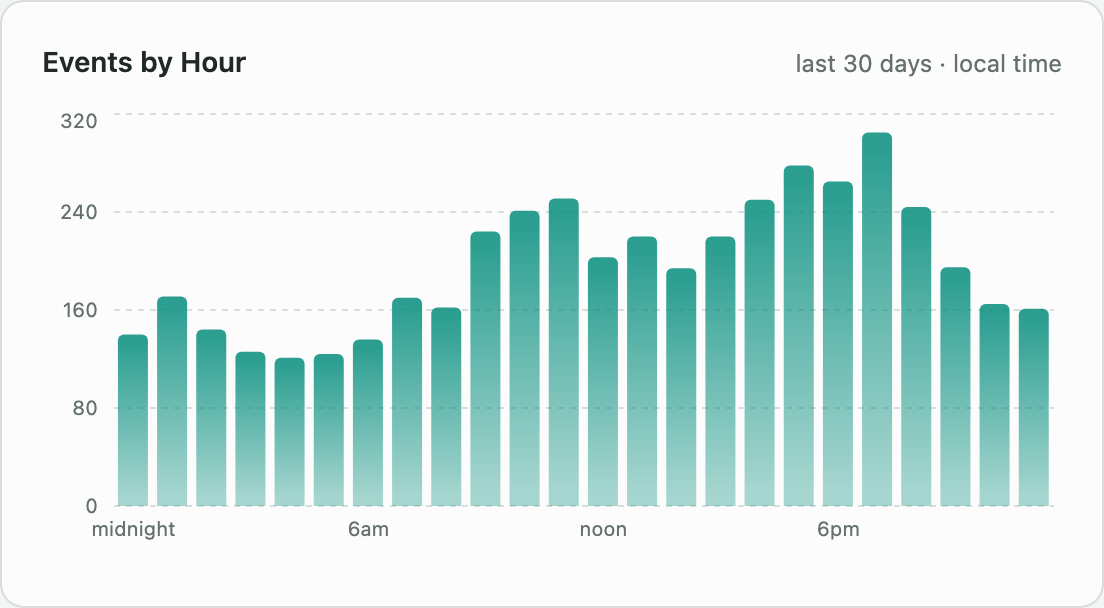
Events by hour of day

Events by Hour

Hourly event distribution across the full day over the last 30 days (local time). Find your home's natural activity rhythm.

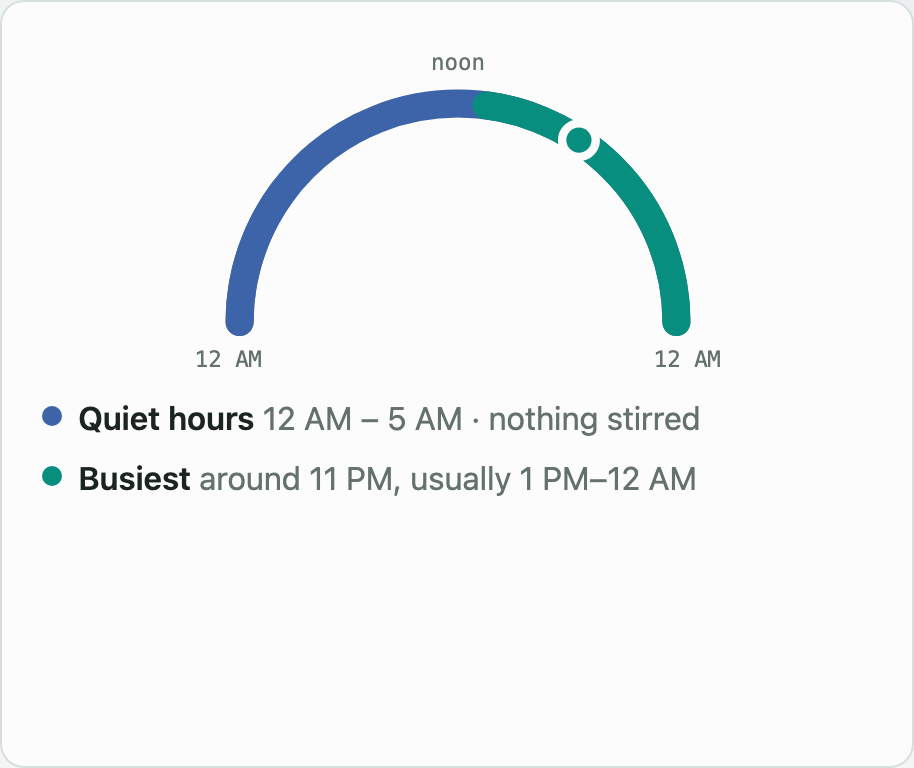
Quiet hours activity

Quiet Hours Activity

Accessories that fired events inside your configured quiet-hours window are surfaced here so unexpected activity doesn't go unnoticed.

Multi-user accounts with invite-only access
Login is optional and enabled with a single flag. When on, the first visit prompts for a one-time admin setup; all subsequent members join by invite only. Admins and members share event data but have different configuration rights.
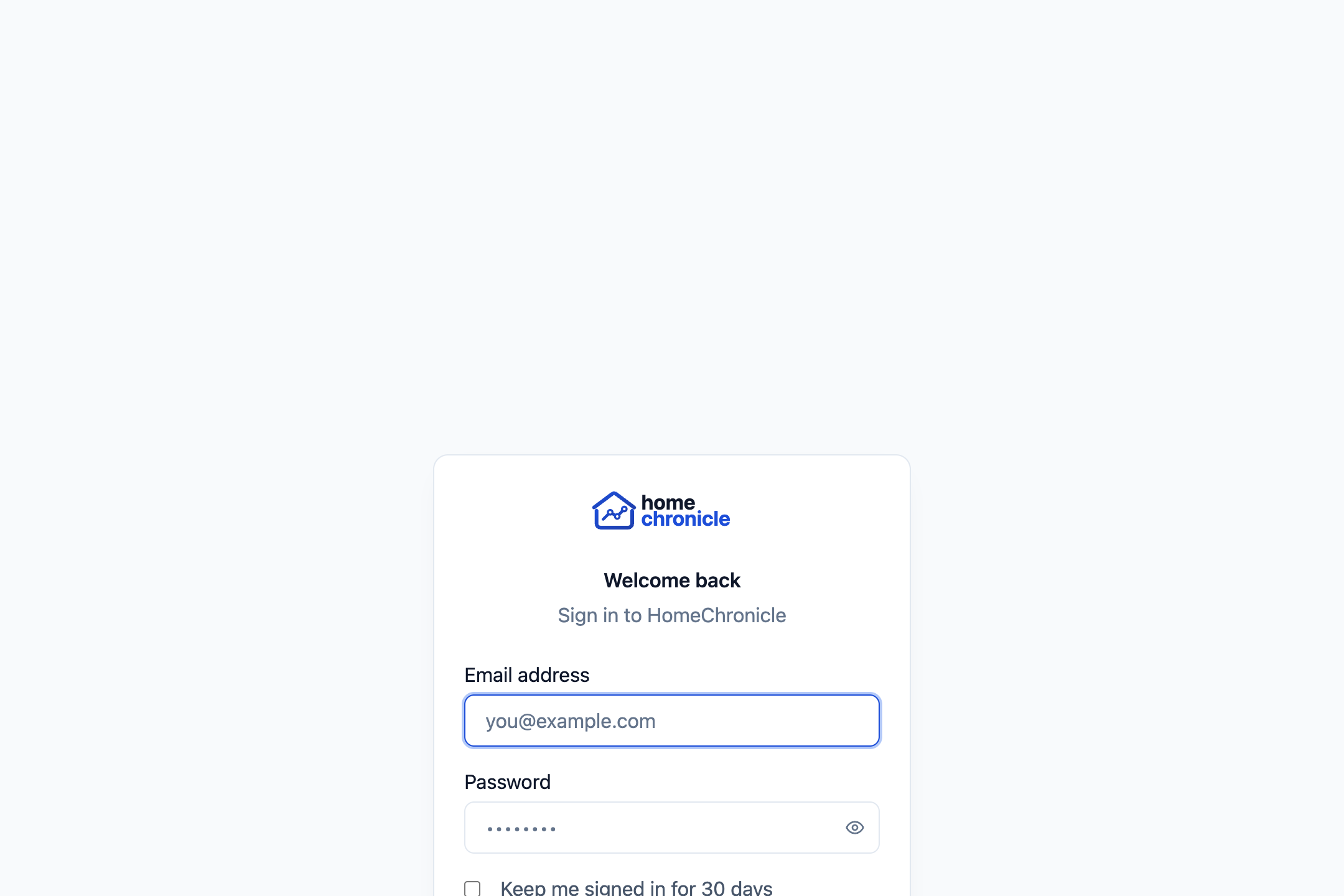
Sign in page with email and password fields

Sign In

Auth is opt-in via AUTH_ENABLED. The sign-in screen appears only when login is on; disable it to restore the single-operator mode.

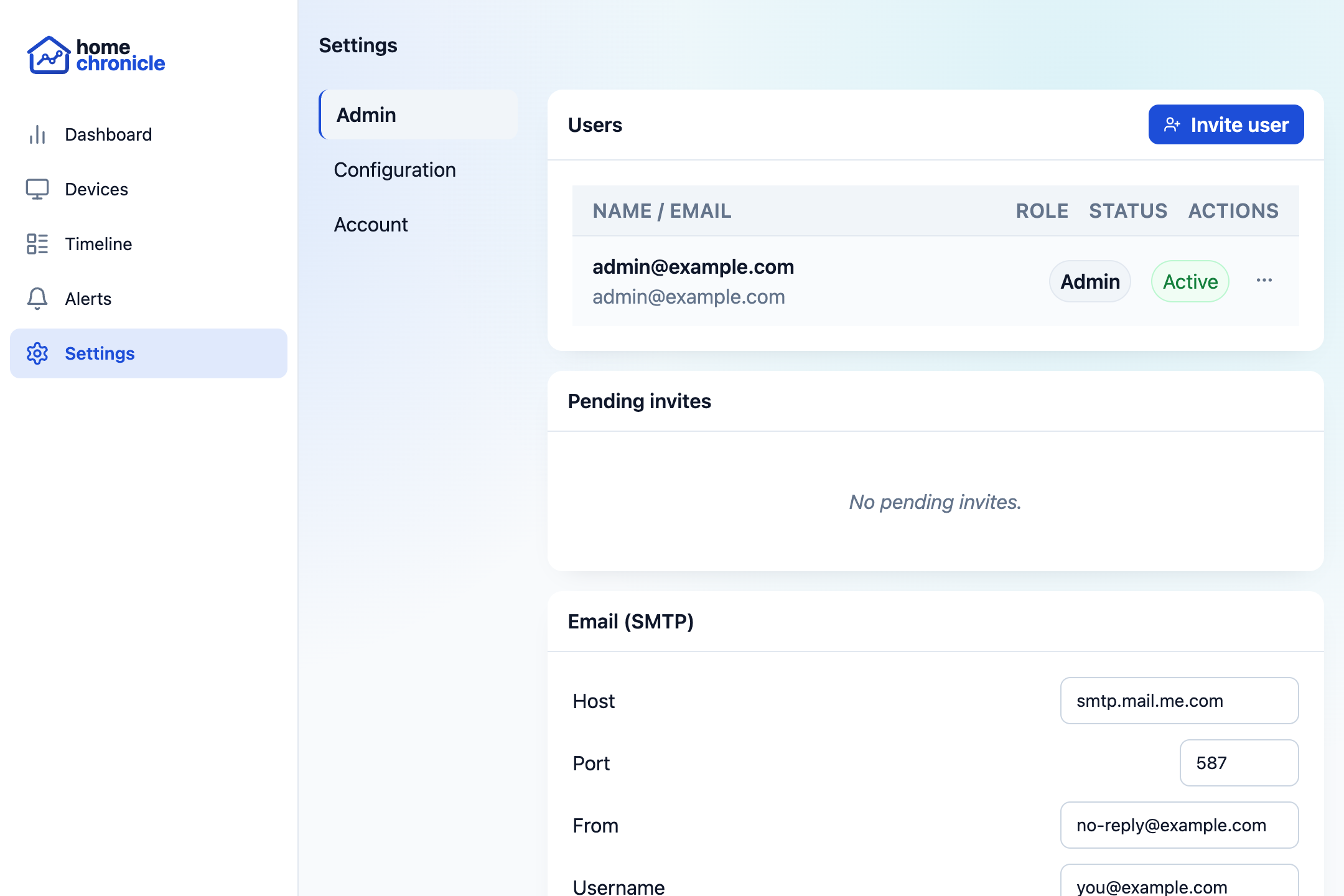
User management panel showing member list with invite and role controls

User Management

Admins can invite members by email, promote or demote roles, and disable accounts. No public registration — every account comes from an invite.

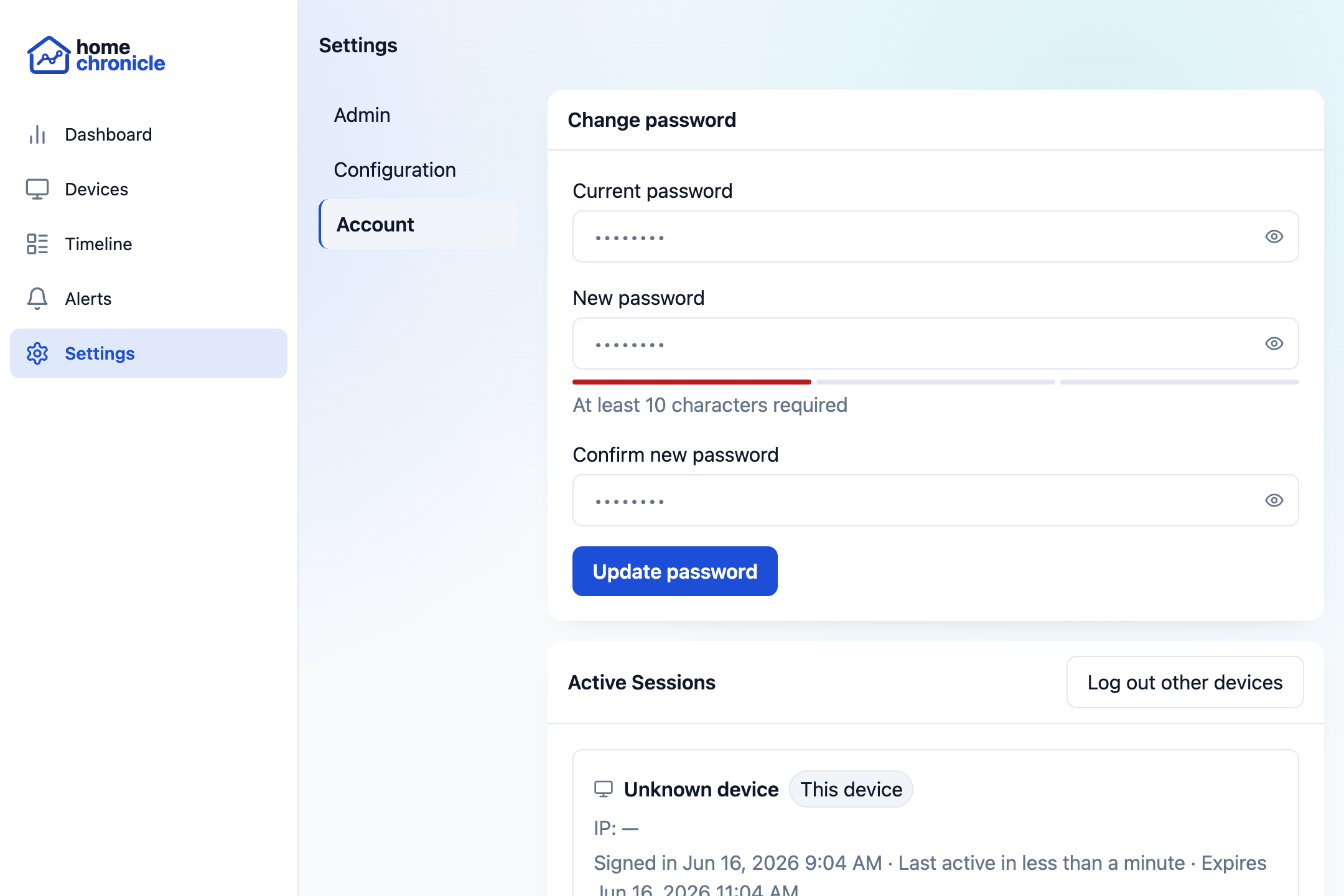
Active sessions list with device info and revoke buttons

Active Sessions

Each user can see their own login sessions — device user agent and IP captured at login — and revoke any individually.

SMTP for invitations, resets & alerts

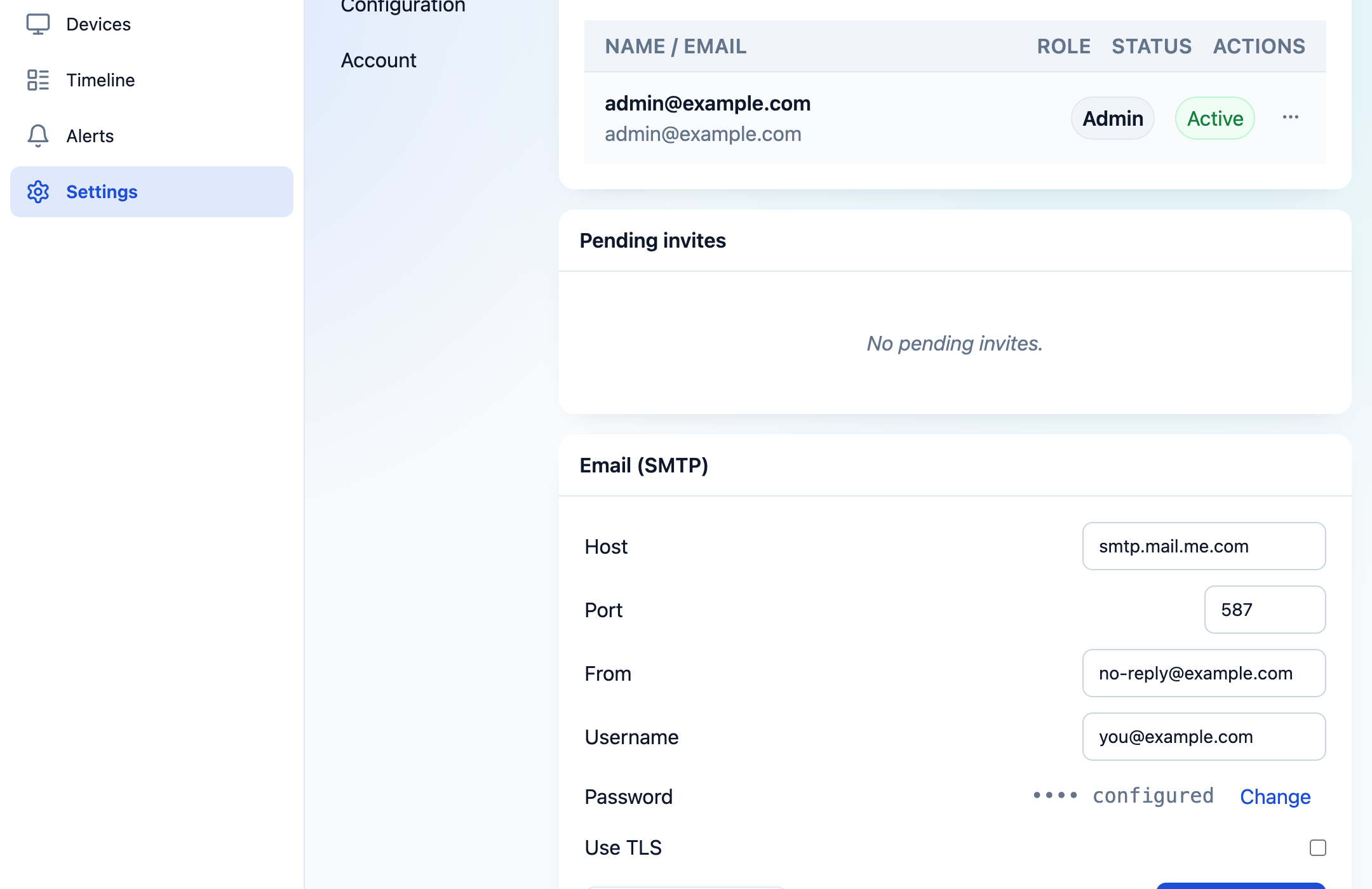
Email is optional. When an SMTP server is configured, it powers three features: user invitations (the invite link doubles as email verification), password reset links, and the email delivery channel for alert rules.

  • Configure via environment variables or the Settings UI — no restart needed for UI changes
  • Supports port 587 STARTTLS and port 465 implicit TLS
  • SMTP password stored in a 0600-permission secrets file, never exposed by any API response
  • Send test email button verifies delivery to the admin's account address
Email SMTP settings panel

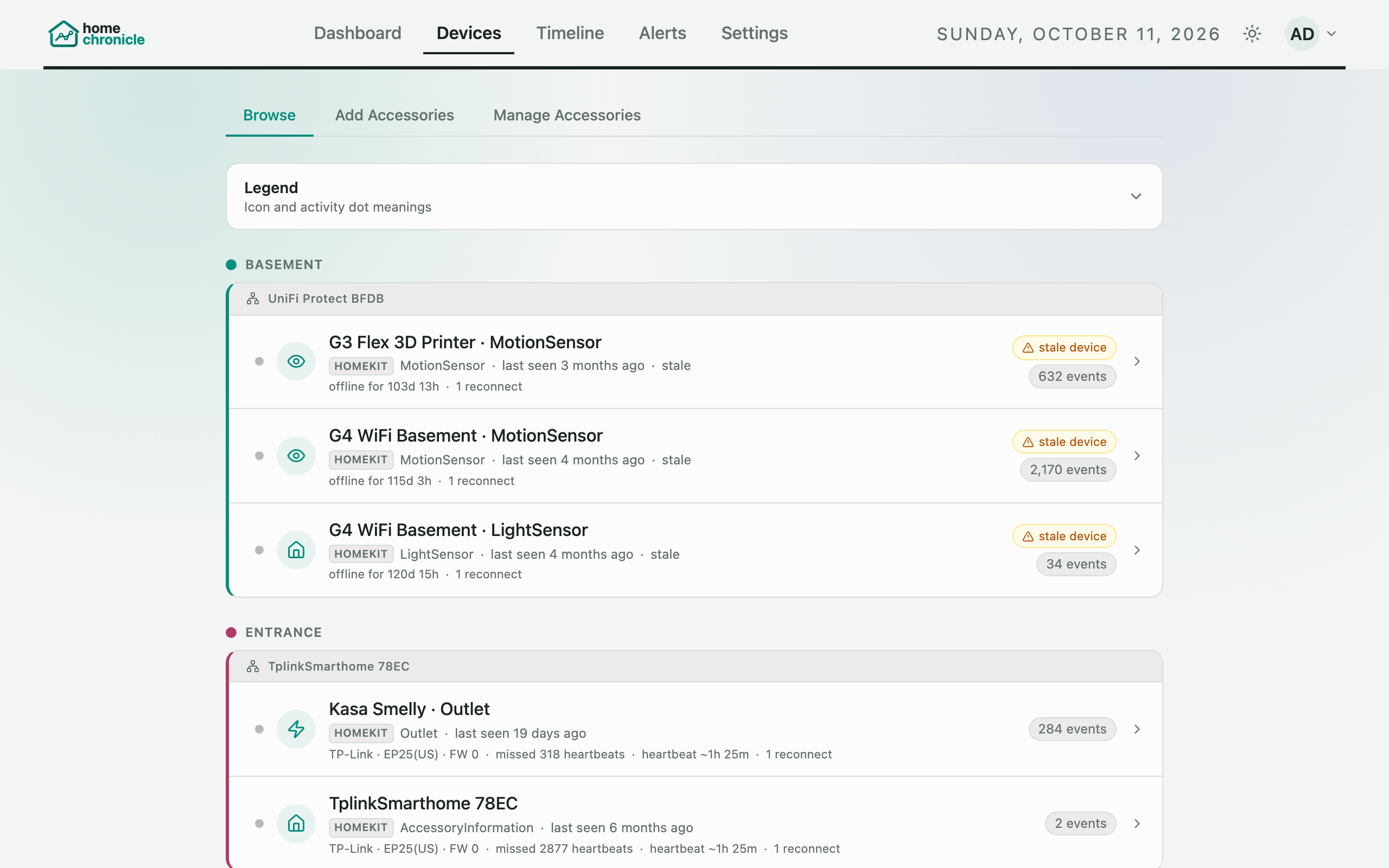
Know every device in your home

A live inventory of all paired accessories, organized by room. At a glance, see which devices are active, which are stale, and how many events each has generated.

  • Activity dots: green (active < 1h), yellow (< 24h), grey (older)
  • Bridge IP addresses and pairing timestamps
  • Child device attribution showing which bridge each device belongs to
  • Total event counts per accessory
Accessories — device inventory grouped by room

Pair devices right from your browser

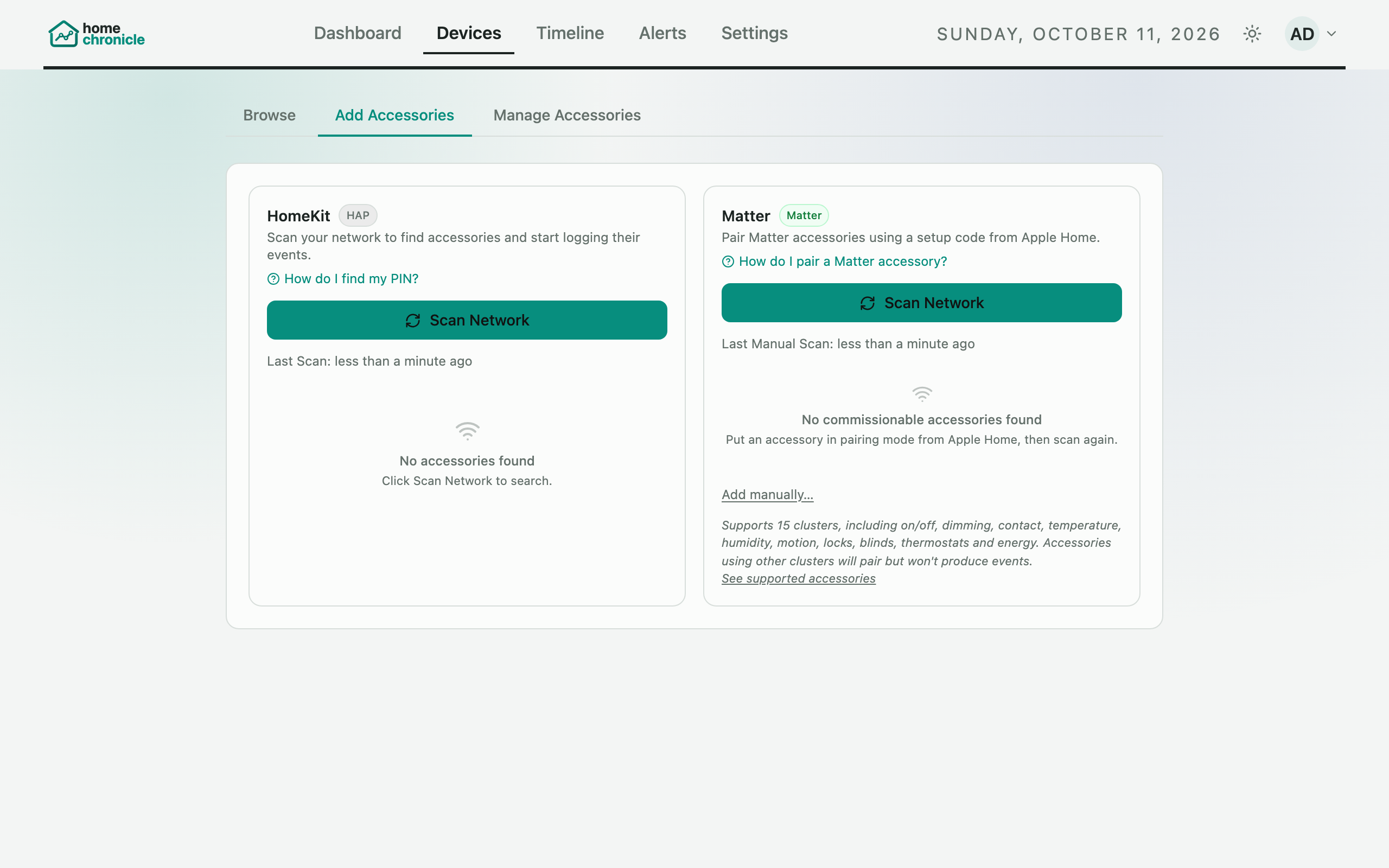
No command line needed. Discover accessories on your network, enter PINs, and pair directly from the web UI. Homebridge support lets you pair a bridge once and log all child accessories automatically.

  • Network scanning discovers accessories via mDNS
  • Bulk pairing with shared PIN and progress bar
  • PIN vault saves codes after first use
  • Room assignment for accessories and bridge children
  • Configurable retention and stale device thresholds
Manage — accessory pairing wizard

Dark mode & color themes

Switch between light and dark modes, or let the app follow your system preference. Choose from eight color themes to personalize the interface.

Dashboard in dark mode
Modern, self-hosted stack
Runs entirely on your local network in Docker. No cloud, no subscriptions, no data leaving your home.
🐳 Docker Compose
⚛️ React 18
⚡ Vite
🐘 PostgreSQL 16
📡 Express
🏠 hap-controller
🔧 Matter
📊 Recharts
🎨 Tailwind CSS
Up and running in minutes
One command to deploy. Pair your first device from the built-in setup wizard.
All-in-one — PostgreSQL, listener, and web UI in a single container
docker run -d \
  --name homechronicle \
  --network host \
  -e WEB_PORT=3000 \
  -v hc-db:/var/lib/postgresql/data \
  -v hc-data:/app/listener/data \
  -v /run/dbus/system_bus_socket:/run/dbus/system_bus_socket:ro \
  havuq/homechronicle-standalone

# Open the dashboard
open http://localhost:3000

# No host networking? Use bridge mode instead:
# docker run -d --name homechronicle -p 3000:80 \
# -v hc-db:/var/lib/postgresql/data \
# -v hc-data:/app/listener/data \
# havuq/homechronicle-standalone
1

Deploy

One docker run on any machine — NAS, Raspberry Pi, or desktop.

2

Pair

Open the Manage tab, scan your network, and pair accessories with their PINs.

3

Monitor

Events stream in automatically. Explore the timeline, dashboard, and analytics.